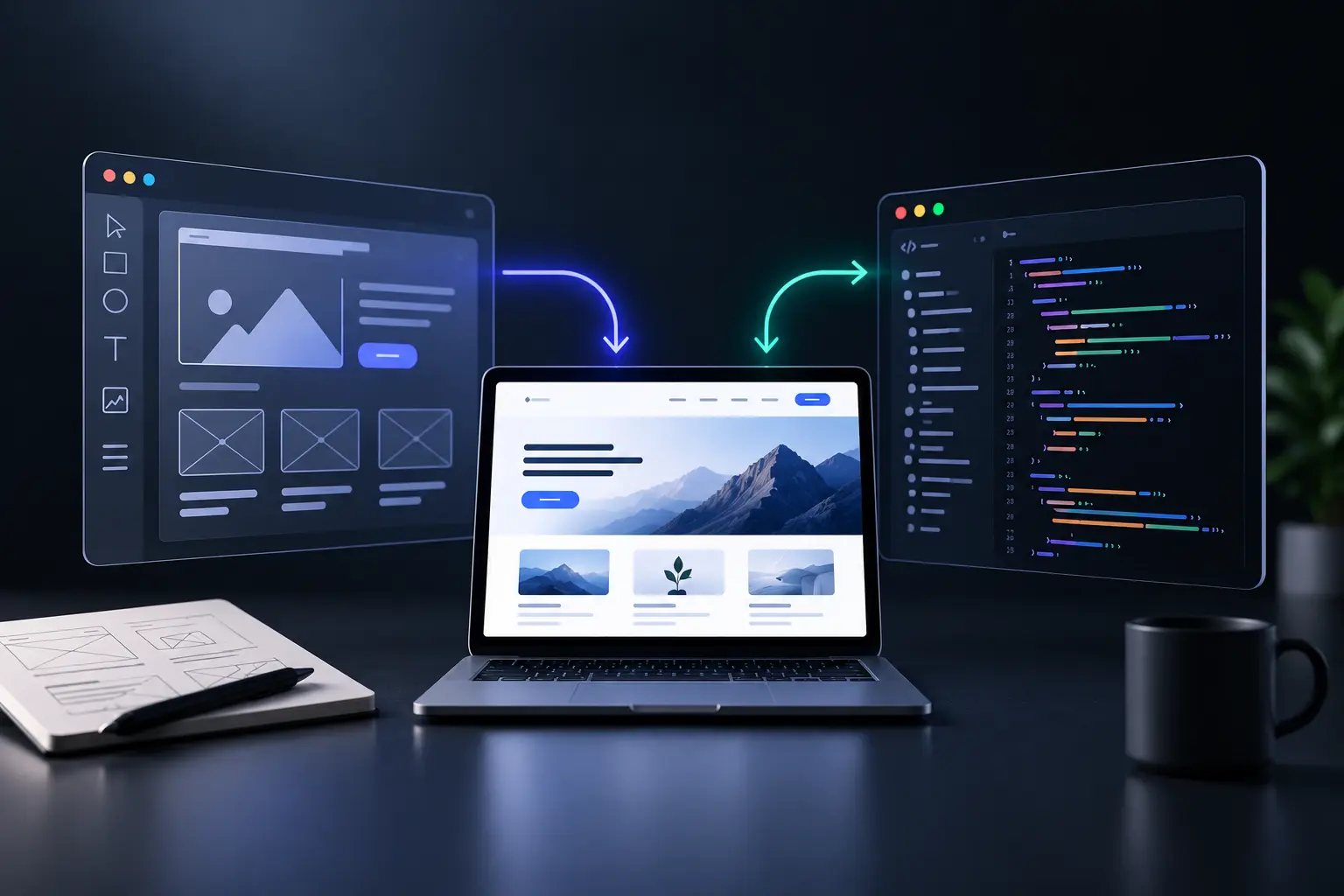
Web design defines a website's visual structure and user experience, while development turns that structure into working functionality. Both disciplines connect appearance, usability and technical performance within one website project.
Web design establishes layouts, typography, navigation and interaction patterns before development starts. Designers can use wireframes and prototypes to define page structure and user journeys.
Web development converts approved designs into functional website interfaces and technical systems. Front-end development uses HTML, CSS and JavaScript, while back-end development manages data, server logic and integrations.
Design and development work together when teams review technical feasibility during the project. Designers define user needs, while developers assess functionality, performance, accessibility and implementation requirements.
Website testing connects design decisions with development results before launch. Teams can test responsive layouts, forms, navigation, performance and other functions across relevant devices.
Web design and development therefore create different parts of the same website experience. Design shapes how visitors understand and use the site, while development makes those interactions function reliably.
What is a design handoff in web development?
A design handoff transfers approved design details from designers to developers for website implementation. It gives developers the specifications and context needed to translate the design into functional code.
A design handoff includes layouts, measurements, components, styles, responsive behavior and interaction details. Developers can inspect these details and identify the intended structure before they write code.
Design files also provide annotations that explain important implementation details. These notes can clarify spacing, sizing, responsive behavior, accessibility requirements and other design decisions.
Figma Dev Mode supports design handoff through inspection, annotations and development-ready statuses. Developers can compare design versions and access relevant specifications within the same workspace.
Design handoff also gives designers and developers a shared reference during implementation. This shared context can reduce misunderstandings and limit unnecessary revision cycles.
A clear design handoff therefore connects visual decisions with technical implementation. The process helps developers preserve the intended website experience while adapting designs to real development constraints.
What do developers need from designers at design handoff?
Developers need organized design files, clear specifications, assets and interaction details at design handoff. These materials give developers enough context to translate approved designs into functional interfaces.
The main information developers need at design handoff is listed below.
Organized design files: Designers need clear page names, layer names, components and relevant design versions. Clean structure helps developers locate the correct screens and implementation details.
Design specifications: Designers need to provide spacing, sizing, typography, colors and component properties. These specifications give developers measurable references for interface implementation.
Responsive behavior: Designers need to explain how layouts change across screen sizes. Developers also need guidance for elements that change between defined breakpoints.
Interaction states: Designers need to document hover, focus, error, disabled and other important interface states. These details clarify behavior that static screens cannot fully communicate.
Export-ready assets: Designers need to identify required images, icons and illustrations with suitable export settings. Developers can then access the correct assets without unnecessary file preparation.
Component details: Designers need to document component variants, properties and usage rules. Clear component context helps developers connect interface elements with the design system.
Accessibility guidance: Designers need to identify contrast requirements, interactive behavior and relevant accessibility considerations. These details help developers translate visual decisions into accessible interfaces.
Implementation context: Designers need to explain unusual design decisions, content behavior and important constraints. Annotations can keep this context beside the relevant design elements.
How do you hand over design to developers?
Design handoff gives developers organized files, specifications, assets and interaction context for implementation. A clear process connects approved design decisions with technical development requirements.
The main steps for handing over design to developers are listed below.
Organize the design file: Designers need clear layer names, logical component structures and current design versions. A clean file helps developers find the correct screens and components quickly.
Mark development-ready designs: Figma Dev Mode lets designers mark frames, sections and components as ready for development. This status helps developers identify approved work.
Add specifications and annotations: Designers need to document spacing, sizing, responsive behavior and other important implementation details. Annotations keep this context beside the relevant design elements.
Document interaction behavior: Designers need to explain important states, transitions and interface behaviors. These notes clarify details that static screens or simple prototypes may not show.
Prepare design assets: Designers need to identify images, icons and other assets required for development. Correct export settings help developers access suitable files without unnecessary preparation.
Share prototypes and user flows: Interactive prototypes show how screens connect and how users move through important journeys. This context helps developers understand interaction intent beyond individual screens.
Explain design decisions: Designers need to document unusual components, responsive rules and deviations from established design systems. These explanations give developers context for implementation choices.
Review complex requirements together: Designers and developers need direct discussion for complex interactions, accessibility requirements and technical constraints. Early collaboration can reduce ambiguity before development progresses.
Maintain a feedback loop: Designers and developers need a shared channel for questions, changes and implementation feedback. Dev Mode also supports comments, annotations and links to development resources.
When should a design be handed off to developers?
A design needs developer handoff when the relevant screens, components and interaction details are ready for implementation. The team also needs clear status signals that identify approved development work.
Design approval gives developers a stable reference for implementation. Stakeholders need to resolve major design decisions before development starts on the approved scope.
Responsive specifications give developers clear layout rules across target devices. Designers need to define important variations for mobile, tablet and desktop experiences before handoff.
Interaction details give developers context beyond static screens. Designers need to document important states, measurements, responsive behavior and unusual interface decisions through annotations.
User testing can strengthen handoff readiness when major experience changes remain possible. Teams need to resolve significant usability issues before developers implement the affected flows.
Agile teams can also hand off completed sections incrementally. Figma supports this approach through Ready for dev statuses on specific sections, frames and components.
Developer collaboration can begin before formal handoff because early technical input can reduce later surprises. Formal handoff then identifies the specific work that developers can implement confidently.
The right handoff moment therefore depends on implementation readiness rather than project completion alone. Developers need approved scope, clear specifications and visible status before they begin each design unit.
What are common design handoff mistakes?
Common design handoff mistakes create ambiguity around files, interactions, assets, responsive behavior and accessibility. These gaps can force developers to interpret design intent during implementation.
The main design handoff mistakes are listed below.
Incomplete design files: Designers can omit important states such as hover, focus, error or disabled states. Developers then need additional clarification before they implement those interactions.
Unclear layer names: Generic names such as “Frame 123” hide the purpose of design elements. Descriptive names give developers clearer structural context during inspection.
Missing responsive rules: Designers can provide desktop screens without explaining layout changes across smaller screens. Developers then need to infer responsive behavior from limited references.
Unannotated interactions: Designers can omit details about transitions, states and unusual interface behavior. Annotations give developers direct context for implementation decisions.
Poor asset preparation: Designers can omit export settings or asset locations for images, icons and illustrations. Developers then spend additional time preparing files for production.
Missing accessibility guidance: Designers can overlook roles, reading order, contrast requirements and keyboard behavior. Accessibility annotations can give developers clearer implementation context.
Unclear component usage: Designers can detach components or introduce variants without documenting the reason. Developers then need to determine whether the change represents an intentional exception.
Outdated design references: Designers can leave older screens beside approved designs without clear status markers. Ready-for-dev statuses help developers identify the current implementation scope.
No clarification process: Designers can deliver files without maintaining communication during implementation. Developers then lack a clear channel for resolving questions about design intent.
What should you include in a design handoff?
A design handoff needs approved screens, component details, interaction rules, assets and implementation context. These materials give developers the information required for accurate website development.
The main elements of a complete design handoff are listed below.
Approved design screens: Designers need to provide current screens with relevant states and realistic content. Clear status markers help developers identify the approved implementation scope.
Organized design files: Designers need descriptive page, layer and component names. Clean file structure helps developers locate the correct elements and understand their intended role.
Design system details: Designers need to provide typography, colors, spacing, variables and component properties. These details help developers connect visual styles with reusable interface patterns.
Responsive behavior: Designers need to explain how layouts change across screen sizes. Developers also need guidance for behavior between defined breakpoints.
Interaction specifications: Designers need to document important states, transitions and interface behaviors. Annotations can explain details that prototypes or static screens cannot fully communicate.
Production assets: Designers need to provide required images, icons and illustrations with suitable export settings. Developers can then access the correct files directly from the design environment.
Accessibility information: Designers need to document relevant contrast, interaction and accessibility requirements. Accessibility annotations can clarify intended roles, labels and reading order.
Prototype and flow context: Designers need to link important prototypes and user journeys. These references show how individual screens connect within the broader experience.
Edge-case behavior: Designers need to define empty states, unusual content conditions and important interface variations. These details help developers account for real-world content constraints.
Implementation notes: Designers need to explain unusual decisions, component deviations and technical considerations. Annotations keep this context close to the relevant design elements.
Developer access and status: Designers need to share the correct file or Dev Mode access. Ready-for-development statuses can identify the sections developers can implement.
How detailed should design specs for developers be?
Design specifications need enough detail to remove implementation ambiguity. Website design specs need clear spacing, typography, component states, responsive rules and interaction behavior. Developers can inspect visible values, while annotations need to explain logic and edge cases.
How should designers specify animation in a design handoff?
Animation specifications need clear timing, easing, triggers and fallback behavior. Website design handoffs can document motion values through prototypes or annotations. Reduced-motion behavior also needs documentation when animations affect accessibility or interaction feedback.
Is a design file enough for developer handoff?
A design file alone rarely provides complete implementation context. Website design handoffs also need interaction rules, responsive behavior, component states, assets and accessibility details. Annotations can explain decisions that static screens cannot communicate clearly.
What should a UI design handoff to development include?
A UI design handoff needs approved screens, components, responsive rules, assets and interaction context. Website design handoffs also need accessibility requirements, edge cases and relevant prototypes. Clear documentation connects visual intent with practical development requirements.
.svg)
.svg)
.svg)
.svg)