Web design is the process of planning and creating a website’s visual layout, user interface (UI) and user experience (UX). So visitors can navigate pages, find information and complete key actions with ease. It combines visual design, layout, navigation, typography, branding and responsive design to shape how a website looks and functions across phones, tablets, and desktop screens.
Web design also follows a structured process that moves from discovery and planning to wireframing, visual design, development, testing, and launch. Each stage connects the site’s visual presentation to usability, responsiveness and the needs of its target audience.
What does web design involve?
Web design involves the visual layout, user interface (UI), navigation, and user experience (UX) of a website. It starts with business goals, target audiences, and key user actions, then establishes a clear site structure that helps visitors find information and complete tasks.
Web design uses wireframes and prototypes to define page layouts, content hierarchy, and user flows before the visual style takes shape. Typography, color systems, spacing, imagery, and components then create a consistent brand experience across mobile, tablet, and desktop screens.
Responsive design also forms a core part of web design, with layouts that adapt to different screen sizes and accessibility features such as readable text, sufficient contrast, and clear focus states. Web designers also work with developers or no-code tools to match the intended interface with the final website.
What tools are used for web design?
Web design uses tools for design, prototyping, visual creation, and coding. Core design and prototyping tools include Figma for wireframes, visual mockups, and interactive prototypes. Adobe XD for vector-based interface design. Adobe Photoshop for web images, visual assets and Sketch for macOS interface design.
Visual builders and CMS platforms help designers create responsive websites with less custom code. Webflow converts visual designs into clean website code, while Wix provides a drag-and-drop site editor. WordPress serves as a content management system with flexible themes and plugins for website content.
Code editors such as Visual Studio Code, Sublime Text, and Adobe Dreamweaver provide direct access to HTML, CSS, and JavaScript. These tools help designers inspect layouts, adjust styles, and refine responsive behavior when a project requires more control over the final website.
What is a web design mockup?
A web design mockup is a static, high-fidelity visual model of a finished website that shows the layout, colors, typography, images and other visual elements before developers write code. It gives designers, clients and developers a clear preview of the intended design at specific screen sizes.
A web design mockup focuses on visual appearance rather than functionality. Unlike a wireframe, which shows basic page structure and content placement, a mockup applies the visual style and branding. A prototype goes further by adding interactive elements that simulate user flows and functionality.
Figma, Adobe XD and Sketch are common tools for creating mockups, with Figma also supporting interactive prototypes and team collaboration.
What is a web design prototype?
A web design prototype is an interactive and clickable model of a website that simulates how users navigate pages and interact with interface elements before development begins. It connects screens with buttons, menus, forms and transitions to demonstrate the intended user flow and functionality without production code.
A web design prototype can take a low-fidelity or high-fidelity form depending on the stage of the project. Low-fidelity prototypes test basic page structure and navigation while high-fidelity prototypes closely represent the final website’s visual design and interactions.
Prototype tools such as Figma, Adobe XD and Framer help designers create these interactive models. They allow designers, clients and developers to test navigation, identify usability issues and agree on the intended website experience before coding starts.
What is a web design wireframe?
A web design wireframe is a low-fidelity visual blueprint that shows the page layout, navigation, content hierarchy and placement of key elements before detailed visual design starts. It uses simple shapes and placeholders for headings, images, forms, buttons and other interface elements so designers can establish the structural layout first.
User flow gives the wireframe a functional direction by showing how visitors move from one page or section to another. Content prioritization then determines which information receives the strongest visual position, while mockups add colors, typography and branding after the structure gains approval. Interactive prototypes can follow the mockup stage when teams need to test navigation and user interactions before development.
What is a web design system?
A web design system is a centralized collection of reusable components, design standards and clear documentation that defines how a website’s interface looks and behaves. It brings together UI components, design tokens, patterns and guidelines so designers and developers can create consistent pages across a website.
UI components form the reusable building blocks of a design system. Buttons, forms, cards, navigation menus and other interface elements follow defined rules for typography, color, spacing, states and responsive behavior. Design tokens then establish shared values for colors, fonts and spacing while patterns combine components into repeatable page structures.
Design system documentation explains when and how teams should apply each component or pattern. A shared system helps teams maintain visual consistency, speed up page creation and support accessibility as the website grows.
How does web design move from concept to interface?
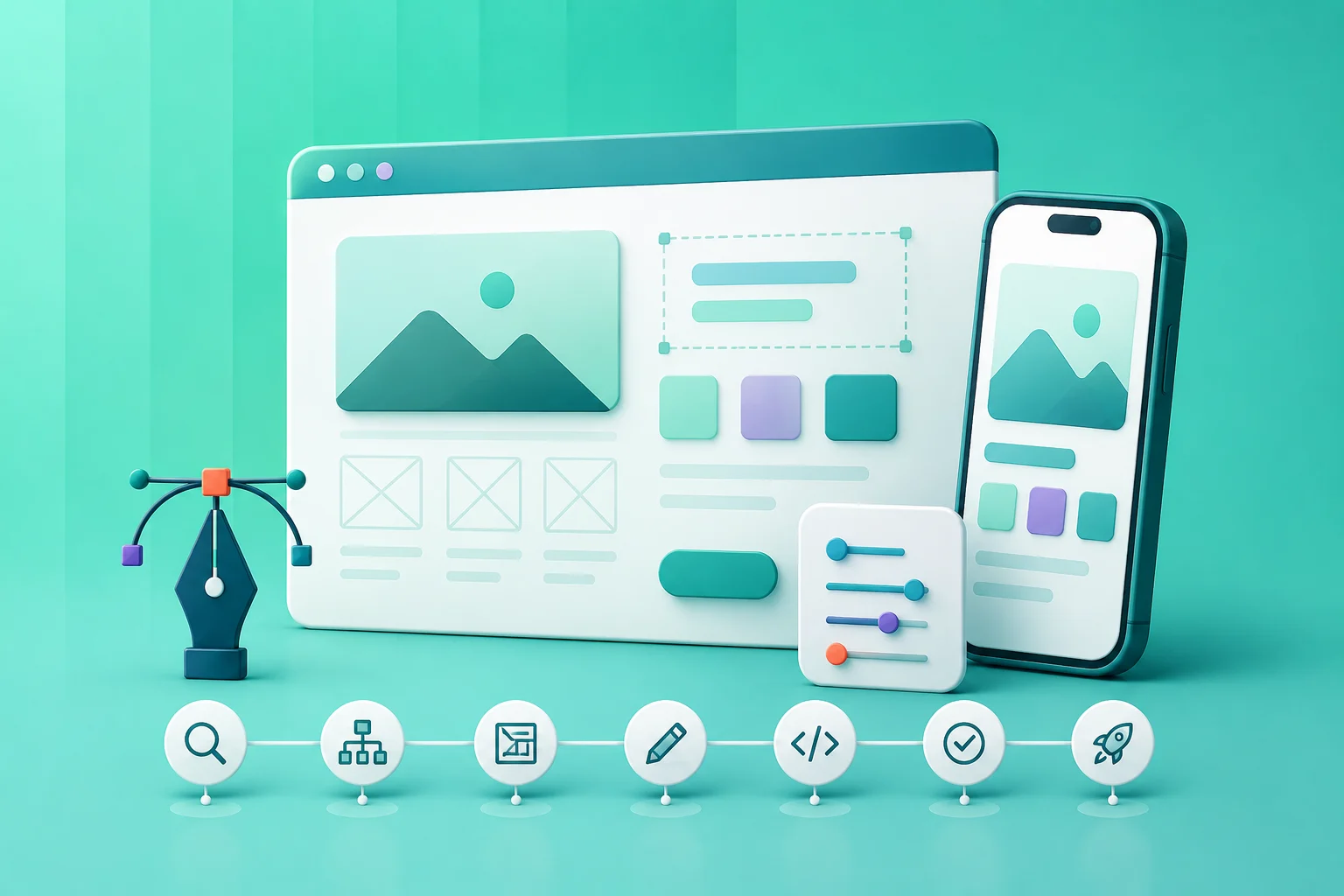
Web design moves from concept to interface through a structured process that connects research, wireframing, visual design, prototyping and development. Designers first define business goals, target users and key actions then translate those requirements into a clear site structure and user flow.
Wireframes establish page structure, content placement and navigation before detailed visual design begins. Visual design then adds brand colors, typography, imagery and UI components to create high-fidelity screens for desktop and mobile layouts.
Prototypes connect screens and interactive elements so designers can test navigation, user flows and key interactions before development. Developer handoff then provides assets, design rules and implementation details that developers use to build the final responsive interface with HTML, CSS and JavaScript.
How do web designers present design concepts?
Web designers present design concepts through structured walkthroughs that show how the proposed interface supports the project goals and user needs. They typically use wireframes, visual mockups and interactive prototypes in tools such as Figma or Adobe XD to explain layout, navigation, typography, color and key interface elements.
A presentation may include live walkthroughs, clickable prototypes, mood boards or design comps and responsive views for mobile and desktop. Designers explain the reasoning behind major choices, demonstrate important user flows and gather client feedback before refining the approved direction for development.
How do web designers collaborate with developers?
Web designers collaborate with developers by involving them early, sharing structured design files and agreeing on how components, layouts and responsive behavior should work. This early communication helps both teams align on technical constraints before visual decisions become difficult to change.
Shared design systems and tools such as Figma give designers and developers a common reference for colors, typography, spacing, components and interaction states. During handoff, designers provide the required specifications and walk through important user flows, responsive layouts and edge cases so developers know how the interface should behave.
Once development begins, the collaboration continues through user testing, design reviews and feedback loops. Designers review implemented pages, developers raise technical constraints and both teams refine components or layouts until the built interface matches the approved design.
What is design handoff in web design?
Design handoff in web design is the process of transferring an approved design from the designer to developers for implementation. The handoff typically includes organized Figma files, design specifications, visual assets and documentation covering layouts, typography, colors, spacing, breakpoints, component states and responsive behavior.
These materials give developers a clear reference for building the approved interface without repeatedly clarifying design decisions. A handoff can also include notes about interactions, animations, user flows and edge cases, along with design system documentation or a walkthrough of key screens. The goal is to preserve the intended design as it moves from visual concept to working interface.
How is web design different from graphic design?
Web design differs from graphic design because it creates interactive website experiences that must adapt to screens, devices and user actions. It covers page layout, navigation, responsive behavior, accessibility and basic front-end requirements so visitors can use the interface across phones, tablets and desktops.
Graphic design focuses on static visual communication for formats such as logos, posters, brochures and digital graphics. Its work centers on composition, typography, color and visual storytelling within a defined format, while web design must account for interaction, screen size, browser behavior and ongoing site changes.
The key differences between web design and graphic design are shown below.
How is web design different from web development?
Web design creates interactive website experiences that must adapt to different screens and user actions, while graphic design primarily creates visual communication for fixed formats. Both disciplines use typography, color and composition but their goals and production requirements differ.
The key differences between web design and web development are shown below.
How is web design different from UX design?
Web design focuses more on the visual and structural experience of a website, while UX design focuses on how users understand, navigate and interact with a digital product. The two areas overlap in interface and user-flow work but differ in their primary responsibilities.
The main differences between web design and UX design are shown below.
What do you get at the end of a web design project?
At the end of a web design project, you get the finalized website designs, responsive layouts, prototypes and handoff materials to move the approved design into development. The exact deliverables depend on whether the project covers design only or includes website development.
A typical design package can include Figma files, final mockups, responsive screen designs, interactive prototypes, design specifications and a style guide covering typography, colors, spacing and components. If development is included, the final deliverables may also include the live responsive website, CMS or visual-builder access, content-update guidance and project documentation.
Post-launch services such as analytics setup, maintenance, support and future design updates may be included when they are part of the project agreement.
What is a web design concept?
A web design concept is an early visual direction that explores a website’s layout, style and mood. In website design, it helps stakeholders agree on the overall visual approach before detailed mockups and full-page designs are developed.
What is a web design specification?
A web design specification is a detailed document that defines a site’s layouts, components, typography, colors, spacing, breakpoints and interface behavior. In website design, it guides developers or builders during implementation.
What is a web design style guide?
A web design style guide is a reference document that defines visual and interaction rules for a website. It covers logo use, colors, typography, buttons, forms and spacing to maintain consistency across pages and future updates.
What is a web design handoff document?
A web design handoff document packages finalized designs, specifications, assets and implementation notes for developers or builders. It can include component libraries, responsive rules, interaction details and exportable assets needed to build the approved interface.
.svg)
.svg)
.svg)
.svg)