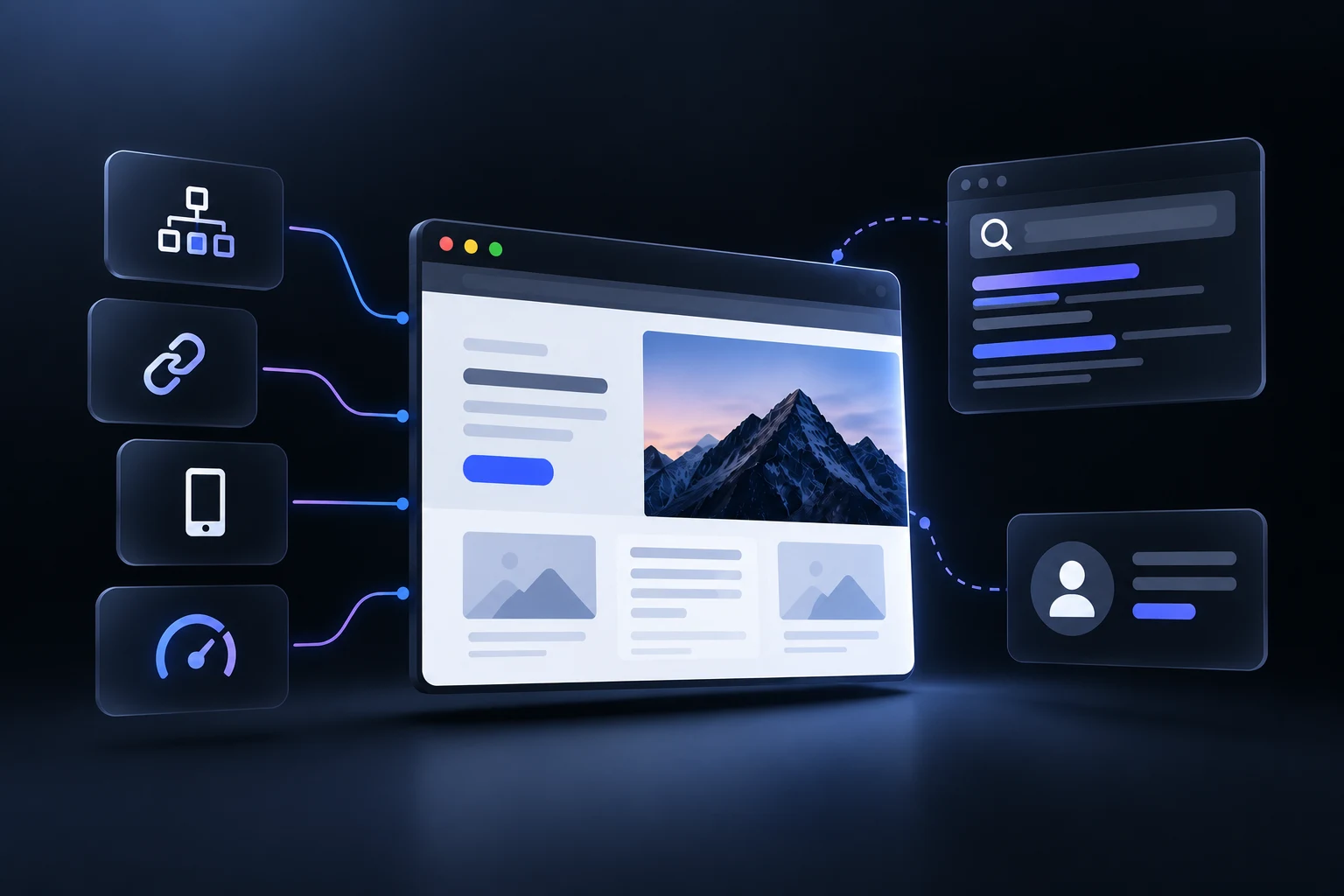
SEO website design combines search engine optimization with website structure, usability and technical performance from the start of the design process. It ensures that search engines can crawl and understand website content while users can navigate and access information easily.
SEO influences key design decisions such as site architecture, URL structure, internal linking, mobile responsiveness, page speed and clean code. Content elements also need proper integration through headings, meta tags, image alt text and relevant copy.
Overall, effective SEO website design balances search visibility with user experience. It avoids design choices that restrict crawling or accessibility while creating a website structure that supports organic traffic, usability and conversions.
What is SEO website design?
SEO website design is the practice of building a website so search visibility, technical performance and user experience work together from the start. It connects site structure, mobile responsiveness, page speed, crawlable code, navigation and content organization so search engines can understand the site while visitors can find relevant information easily.
The design process also affects how search engines discover and interpret individual pages. Logical page hierarchies, descriptive URLs, internal links and clear content structures help establish relationships between pages and make important information easier to access. Mobile usability and page performance also need consideration during design, not after the website is complete.
SEO website design therefore treats search optimization as part of the website foundation rather than a post-launch task. Content structure, headings, images and navigation can support both search visibility and usability when they are planned alongside the visual and technical design.
Why does SEO need to start before website design?
SEO needs to start before website design because search requirements influence the website’s structure, content hierarchy and technical foundation. Early SEO planning can define the pages a website needs, how those pages connect, which search intents they address and how users move through the site. This prevents important SEO requirements from conflicting with the visual structure later.
Site architecture and content planning need to inform the design before wireframes are finalized. Page hierarchy, descriptive URLs, navigation, internal links, heading structure and content sections all affect how search engines discover and interpret a website. When these elements are planned early, designers can build layouts around clear page purposes rather than force SEO elements into an existing structure.
Technical SEO also belongs in the development plan from the beginning. Mobile performance, page speed, crawlable HTML, structured data, canonical tags and image handling can affect templates and implementation choices. Early planning reduces the need for structural fixes after launch and helps the finished website support both search visibility and usability.
Starting SEO before design therefore creates a stronger foundation for the entire website. It connects search intent, information architecture, content and technical requirements before visual decisions become difficult to change.
How does keyword research influence website structure?
Keyword research influences website structure by showing which topics need dedicated pages and how those pages relate to user search intent. Search terms can reveal the main services, topics and questions that deserve prominent positions in the site hierarchy. Related queries can then support individual pages rather than forcing separate pages for every keyword variation.
The research also helps shape navigation, URLs and internal linking. Keyword groups can map to relevant sections and pages while descriptive URLs reflect each page’s subject. Internal links can then connect closely related pages and establish clear relationships between broader topics and supporting content.
Search intent matters more than search volume alone. Keywords with the same intent can often belong to one comprehensive page while different intents may require separate URLs. This approach reduces overlapping pages and gives each part of the website a clearer purpose.
Keyword research therefore acts as a planning input for website architecture rather than a source of terms to insert into existing pages. When keyword groups, search intent and page purpose align before development, the resulting structure can serve users more clearly while giving search engines a stronger understanding of the website’s topical organization.
How does website architecture affect SEO?
Website architecture affects SEO by determining how search engines discover, understand and prioritize pages across a site. A logical hierarchy gives important pages clear positions within the site while descriptive URLs, navigation and internal links establish relationships between related content. This structure also helps visitors reach relevant information without unnecessary navigation steps.
Internal linking plays a central role because links connect pages and help search engines discover content. Relevant anchor text can also provide context about the destination page. Pages without internal links can become difficult for both users and crawlers to discover, while strong internal connections can help distribute authority across important sections.
Website architecture also affects crawl depth and content accessibility. Important pages buried several levels below the homepage can be harder to reach, especially on larger sites. A clear hierarchy with useful category pages, descriptive URLs, breadcrumbs and appropriate sitemaps gives search engines additional signals about how the site is organized.
A well-planned architecture therefore supports both search visibility and usability. Rather than relying on rigid silo structures, related pages can connect through relevant contextual links so users and search engines can move naturally between closely related topics.
How do URL structures support SEO?
URL structures support SEO by helping search engines and users understand what each page represents. A descriptive URL can reflect the page topic and its position within the website, while a logical path can reinforce relationships between related sections. For example, /seo/website-design gives clearer context than a URL that contains random identifiers.
A consistent URL format also improves website organization. Descriptive words, lowercase characters and hyphens make URLs easier to read and share. Google specifically recommends hyphens rather than underscores and advises site owners to use as few unnecessary URL parameters as possible.
URL structure also supports page discovery and internal navigation. When URLs follow a logical hierarchy, users can better understand where a page sits within the website. Search engines can also use URL information alongside internal links and other signals to understand site organization.
Keywords can appear in URLs when they describe the page naturally, but keyword repetition is unnecessary. The priority is a short and meaningful URL that accurately represents the page content. A clear structure supports usability and crawlability without turning the URL into a list of search terms.
How does internal linking support website navigation?
Internal linking supports website navigation by connecting related pages through clear paths that help users move from one piece of information to another. Main navigation links establish the broader site structure while contextual links guide visitors toward relevant services, articles or supporting resources. Breadcrumbs can also show a page’s position within the hierarchy and give users a direct path back to higher-level sections.
Internal links also help search engines discover and understand website content. Search engines follow links between known pages to find other URLs, while descriptive anchor text provides additional context about the linked page. Relevant internal links can also help indicate which pages matter within the site structure.
A useful internal linking structure connects related pages without forcing links where they do not help the visitor. Topic clusters can connect a broader page with relevant supporting content, while contextual links can connect related topics across sections when the relationship is useful. This creates a navigational structure that supports both users and search engines.
Internal linking therefore works as part of the website’s navigation and information architecture. Clear connections reduce the chance that important pages become isolated while giving visitors and search engines more direct paths through the site.
How does content hierarchy affect search visibility?
Content hierarchy affects search visibility by giving a webpage a clear structure that helps search engines interpret its main topic and supporting sections. An H1 establishes the primary page topic while H2 and H3 headings organize related sections beneath it. This structure also makes the page easier for readers to scan and understand.
A logical heading hierarchy also strengthens topical relevance. Each heading can introduce a distinct aspect of the main subject while the content beneath it provides supporting detail. Relevant terms can appear naturally within headings when they accurately describe the section, but excessive keyword repetition can make the structure less useful.
Clear sections can also improve how content is understood and extracted from a page. Descriptive subheadings make individual answers easier to locate and can support search features when the page directly satisfies a relevant query. However, heading structure alone does not guarantee rankings or featured snippets.
Content hierarchy therefore supports SEO through clarity rather than keyword placement alone. A well-organized page connects the main topic with relevant supporting information while giving users and search engines a clearer understanding of how the content fits together.
How does mobile-first design affect SEO?
Mobile-first design affects SEO because Google primarily uses the mobile version of a website for crawling, indexing and ranking. A responsive layout therefore needs to preserve the important content, links, metadata and structured data available on the desktop version. A mobile page with reduced content or inaccessible navigation can give search engines less information to evaluate.
Mobile-first design also shapes the technical and visual structure of SEO-friendly pages. Readable text, responsive images, simple navigation and accessible interactive elements help users access content on smaller screens. Page performance also matters because heavy assets and inefficient scripts can make mobile pages slower to load.
The mobile version needs the same core information architecture as the wider site. Important internal links, primary content and structured data need to remain available across device experiences. Google also recommends responsive design as a practical approach for sites that need to serve users across different screen sizes.
Mobile-first design therefore makes SEO part of the website experience rather than a separate technical layer. A mobile-friendly structure gives search engines access to the content they need while giving visitors clearer navigation, readable information and usable page interactions across devices.
How does page speed affect SEO?
Page speed affects SEO by influencing page experience, mobile usability and how efficiently visitors can access content. Google evaluates page experience alongside many other ranking signals, with Core Web Vitals covering loading performance, responsiveness and visual stability. Slow pages can create a poor experience even when the underlying content is relevant.
Performance also affects how effectively users interact with a website. Large images, unnecessary scripts, inefficient code and slow server responses can delay access to treatment pages, articles, forms or other important content. Tools such as Google PageSpeed Insights and Lighthouse can help identify performance problems and guide technical improvements.
SEO benefits from performance improvements when they also improve the overall page experience. Image optimization, efficient resource loading, caching and reliable hosting can reduce unnecessary delays while preserving the content and functionality visitors need. Performance work therefore needs to focus on real user experience rather than speed scores alone.
Page speed is therefore one part of a broader SEO foundation rather than a standalone ranking shortcut. A fast website gives users quicker access to useful content while helping the site meet Google's page experience expectations across devices.
How does technical SEO influence website design?
Technical SEO influences website design by shaping the technical and structural decisions that determine whether search engines can crawl, render and understand a website. Site architecture, semantic HTML, internal links and crawlable navigation need to work together so important pages remain accessible to search engines and users.
Website templates also need to account for performance and mobile behavior from the start. Large images, excessive JavaScript and heavy visual effects can affect loading performance, while poor responsive layouts can make important content or navigation difficult to access on smaller screens. Google primarily uses the mobile version of a site for indexing so mobile content and structure need to remain complete.
Technical SEO also affects how content is represented within the design. Clear heading structures help organize page content while structured data can give search engines additional information about entities and page types. Canonical tags, XML sitemaps and indexing controls also need appropriate implementation within the website infrastructure.
Technical SEO therefore needs to influence website design before development is complete rather than appear as a post-launch repair task. When crawlability, rendering, performance, mobile behavior and indexing requirements shape templates from the beginning, the visual design has a stronger technical foundation for organic search visibility.
How can SEO be tested before a website launches?
SEO pre-launch testing works best as a structured checklist across crawlability, indexing, content, performance and technical signals. A staging environment can be crawled before release while remaining blocked from public search results. Screaming Frog supports staging crawls and live-versus-staging comparisons for this purpose.
The main SEO checks before a website launch are listed below.
Crawlability: Crawl the staging website with Screaming Frog SEO Spider to identify broken links, missing titles, duplicate pages, incorrect status codes, blocked URLs and other crawl issues.
Indexing controls: Check robots.txt, meta robots directives and staging noindex rules. Production pages that need search visibility cannot retain development-stage blocking rules after launch.
On-page SEO: Review page titles, meta descriptions, heading hierarchy, image alt text, internal links and content-to-keyword alignment. Each important page needs a clear search intent and distinct purpose.
Canonical URLs: Verify canonical tags across important pages and confirm that they point to the preferred production URLs. Google treats canonical signals as hints rather than absolute instructions, so conflicting URL signals need resolution.
Structured data: Validate relevant Schema.org markup with Google's Rich Results Test and check that the markup matches visible page content. Pre-launch QA sources commonly include structured data validation as part of the SEO release process.
Performance and mobile experience: Test key templates with Google PageSpeed Insights and review Core Web Vitals, loading performance, responsiveness and visual stability. The former Google Mobile-Friendly Test is no longer the appropriate standalone tool, so responsive testing and Search Console documentation provide better current validation. Screaming Frog can also connect with PageSpeed Insights data for crawl-level analysis.
Sitemap and HTTPS: Confirm that the XML sitemap contains the intended canonical URLs and that the production site resolves correctly over HTTPS. Google recommends preparing production robots.txt and sitemap configuration before a site move or launch.
Staging-to-production parity: Compare the staging version against the intended production configuration before release. After launch, run another crawl to confirm that important pages remain crawlable and indexable and that no staging directives or incorrect canonicals carried over.
What does an SEO-friendly website need?
An SEO-friendly website needs a crawlable structure, useful content, mobile compatibility, strong performance and clear technical signals that help search engines understand its pages. These elements work together rather than as separate SEO tasks. Google recommends logical site organization, descriptive URLs, useful content, relevant links, secure pages and mobile-friendly experiences as part of a search-friendly website.
The main requirements of an SEO-friendly website are listed below.
Logical site architecture: A clear hierarchy helps users and search engines understand how pages relate to one another. Descriptive URLs, relevant internal links and logical content groups make important pages easier to discover.
Mobile-responsive design: The website needs to provide the same essential content, metadata and structured data across mobile and desktop experiences. Google primarily uses the mobile version of a site for indexing.
Useful page content: Each important page needs content that directly addresses its search intent. Clear headings, readable sections, relevant terminology and original information help users understand the subject without relying on keyword repetition.
Descriptive URLs and metadata: Page titles, meta descriptions and URLs need to describe the page accurately. URLs can also help users understand the subject and position of a page within the website.
Internal linking: Relevant internal links connect related pages and help search engines discover additional URLs. Descriptive anchor text also provides context about the destination page.
Optimized images: Images need descriptive alt text and relevant surrounding content so users and search engines can understand their purpose. Appropriate image quality and placement also support the overall page experience.
Crawl and indexing controls: A website needs appropriate robots.txt rules, XML sitemaps and indexing directives. Sitemaps help search engines discover important URLs while robots.txt controls crawling rather than indexing.
Secure and performant pages: HTTPS, good Core Web Vitals and efficient page delivery contribute to a stronger page experience. Performance needs to support real usability rather than focus only on achieving a perfect tool score.
Structured data where relevant: Valid structured data can help search engines understand specific page types and can make eligible pages available for certain enhanced search features.
How does crawlable code help search engines?
Crawlable code helps search engines access and interpret website design elements such as page content, links and headings. Semantic HTML and accessible links improve discoverability, while JavaScript needs proper rendering. Search engines can then process important content without unnecessary technical barriers.
What makes a website navigation system SEO-friendly?
An SEO-friendly navigation system uses clear labels, logical hierarchy and relevant internal links to connect important pages. Breadcrumbs can reinforce page relationships while mobile-accessible navigation helps users and search engines reach content without unnecessary complexity.
How does structured data help search engines understand pages?
Structured data gives search engines standardized information about a page and its content. Relevant schema can clarify entities or page types and may make eligible pages available for enhanced search features. Google recommends validation with its Rich Results Test.
What role do images play in SEO-friendly website design?
Images support SEO-friendly website design when they are relevant, accessible and technically efficient. Descriptive alt text helps explain image content, while appropriate formats and dimensions can support page performance. Image context also helps search engines understand visual content.
How can designers balance SEO with user experience?
Designers can balance SEO with user experience through clear layouts, readable content, mobile responsiveness and efficient page performance. Search elements need natural placement within useful content rather than hidden text or keyword stuffing. This approach supports usability while preserving important search signals.
.svg)
.svg)
.svg)
.svg)