SaaS (Software as a Service) design focuses on the user interface (UI) and user experience (UX) of a SaaS application. It covers every part of the user journey, from the first screen users see to the actions they complete every day.
SaaS (Software as a Service) design plays a major role in how people experience cloud-based software. A clean interface may catch attention, but clear navigation, simple workflows, fast feedback and predictable interactions keep people engaged and make the product easier to use over time.
SaaS (Software as a Service) design matters because subscription-based products depend on repeat use rather than a single purchase. When users can learn the product quickly, complete tasks without confusion and trust every interaction, they are far more likely to stay, return and continue using the software.
This complete guide explores every essential part of SaaS design, including its fundamentals, core principles, design process, best practices, common challenges, tools and current trends. The following sections explain each topic in detail so you can understand how SaaS design improves usability, strengthens customer retention and supports long-term product success.
What is SaaS design?
SaaS (Software as a Service) design refers to the user interface (UI) and user experience (UX) of a SaaS application. It determines how users navigate the product, interact with features and complete tasks through a clear, consistent and intuitive interface.
SaaS (Software as a Service) design extends UI and UX principles to software that users access through the internet instead of local installation. A clear layout, logical navigation, visual hierarchy and consistent interface elements help users find information quickly, understand available actions and complete workflows with less effort.
SaaS (Software as a Service) design plays a larger role as SaaS applications become more feature-rich and information becomes more complex. Clear information architecture, predictable navigation and consistent interface behaviour make dashboards, reports and workspaces easier to use, while typography, spacing, colour and user feedback create a more intuitive experience.
SaaS (Software as a Service) design influences customer satisfaction, product adoption and long-term business growth. User research, usability testing and regular design updates keep the interface aligned with user expectations, strengthen customer retention and increase the overall value of the product.
Why is SaaS design important?
SaaS design is important because it directly influences user retention, recurring revenue and sustainable business growth. Software as a Service (SaaS) products depend on ongoing subscriptions, so every user interaction affects whether customers continue using the product and increase their lifetime value over time.
SaaS design reduces friction with clear navigation, intuitive user flows and consistent interaction patterns. It shortens time-to-value, enables users to accomplish meaningful tasks sooner and increases free-to-paid conversions by delivering a straightforward onboarding experience and a clear path to product value.
SaaS design relies on reusable UI components and structured design systems that keep interfaces consistent across every feature. Consistency improves usability, simplifies product expansion and builds long-term consumer trust because users interact with familiar patterns throughout the application.
SaaS design strengthens long-term product performance as satisfied customers continue subscriptions, return to the product with confidence and recognize value in every interaction. Higher user retention, increased lifetime value and stable recurring revenue demonstrate that SaaS design is a strategic business capability that drives long-term product success.
How does UX influence SaaS design?
UX (User Experience) influences SaaS design because it determines how users understand, adopt and continue using a product. A well-structured user experience strengthens user retention, supports adoption and helps users recognize product value sooner. Clear onboarding, intuitive navigation and logical user flows reduce friction, shorten time-to-value and increase revenue through higher free-to-paid conversions.
UX (User Experience) also supports product-led growth because users can explore product features with confidence and complete important tasks without constant assistance. Clear upgrade paths, consistent interactions and reusable UI components create a familiar experience that builds long-term consumer trust and increases expansion revenue as customers continue using the product and purchase additional features.
The key ways UX (User Experience) influences SaaS design are listed in the table below.
What are the core principles of SaaS design?
The core principles of SaaS design are the fundamental practices that guide how cloud-based products deliver a consistent, scalable and user-focused experience. These principles improve rapid time-to-value, support low-friction onboarding, increase user efficiency, strengthen data-handling capabilities and help maximize retention and minimize churn throughout the product lifecycle.
The core SaaS design principles are listed below.
Time-to-Value (TTV) First: Time-to-value gives users the shortest path from account creation to a meaningful outcome. Early product value increases user confidence and encourages continued product use.
Progressive Disclosure: Progressive disclosure presents features in stages instead of displaying every option at once. This approach reduces cognitive load and supports low-friction onboarding.
Consistency and Predictability: Consistency and predictability keep layouts, interface components and interaction patterns uniform across the product. Familiar experiences improve user efficiency and strengthen user confidence.
Clarity of System State: Clarity of system state keeps users informed about their location, current actions and system responses. Clear feedback strengthens confidence in the product's data-handling capabilities.
Design for Recovery: Design for recovery provides clear error messages, confirmation prompts and recovery options when mistakes occur. Reliable recovery paths help maximize retention and minimize churn.
What makes SaaS design effective?
Effective SaaS design combines intuitive usability, rapid time-to-value, scalable workflows, consistent navigation and data-driven personalization. It creates cloud-based software that is easy to learn, efficient to use and adaptable as business needs change. These qualities improve the user experience and support long-term customer retention by delivering consistent value throughout the customer journey.
The qualities that make SaaS design effective are listed below.
Intuitive Usability: Intuitive usability makes navigation, features and primary actions easy to understand. Clear interfaces reduce confusion and help users complete tasks with confidence.
Rapid Time-to-Value: Rapid time-to-value helps users achieve meaningful results soon after sign-up. Early success increases product adoption and encourages continued use.
Scalable Workflows: Scalable workflows support new features, larger teams and changing business requirements without disrupting the user experience. Flexible product structures maintain consistency as the platform expands.
Consistent Navigation: Consistent navigation keeps layouts, interface components and terminology uniform across the product. Familiar interactions improve efficiency and reduce cognitive load.
Data-Driven Personalization: Data-driven personalization adapts dashboards, recommendations and guidance to individual user needs. Relevant experiences increase engagement and strengthen customer satisfaction.
Long-Term Customer Retention: Long-term customer retention reflects the combined impact of intuitive usability, rapid time-to-value, scalable workflows, consistent navigation and data-driven personalization. A positive user experience encourages continued product use and supports sustainable business growth.
How does the SaaS design process work?
The SaaS design process is an iterative, user-centric framework that transforms a market-validated problem into a usable and scalable cloud-based product. Each stage builds on research, user feedback and product insights to improve usability, refine functionality and ensure the product continues to meet changing user needs and business goals.
The 6 stages of the SaaS design process are listed below.
- Discovery and Research: Discovery and research identify user pain points through user interviews, competitor analysis and behavioral research. This stage validates the market-validated problem, uncovers customer expectations and provides reliable evidence for design decisions.
- Definition and Scoping: Definition and scoping convert research findings into clear product requirements, detailed user personas and measurable product goals. Well-defined project scope keeps design priorities aligned with user needs and business objectives.
- UX (User Experience) Design: UX (User Experience) design defines user flows, information architecture, wireframes and page layouts before visual design begins. A logical product structure simplifies navigation, improves task completion and creates a consistent user experience.
- UI (User Interface) Design: UI (User Interface) design applies colors, typography, interface components and brand identity to the approved UX structure. Consistent visual design improves accessibility, strengthens brand recognition and creates a cohesive interface across the product.
- Validation and Testing: Validation and testing evaluate interactive prototypes with real users before development starts. User feedback identifies usability issues early, reduces design revisions and confirms that the product meets user expectations.
- Launch and Continuous Improvement: Launch and continuous improvement use customer feedback, analytics and performance data to refine features after release. Regular product updates improve usability, address changing user needs and support long-term product success.
What are the best practices for SaaS design?
The best practices for SaaS design are proven methods that improve usability, performance and scalability across cloud-based products. These practices establish consistent design standards, simplify product adoption and create reliable user experiences that remain effective as products evolve and customer expectations change.
The best practices for SaaS design are listed below.
Accelerate Time-to-Value: Accelerating time-to-value helps users achieve meaningful results soon after sign-up. Early product value improves usability, increases user confidence and reduces early user drop-off.
Leverage Familiar UI Patterns: Leveraging familiar UI patterns use common navigation, interface components and layouts that match familiar user expectations. Familiar experiences shorten the user learning curve, improve navigation and reduce unnecessary confusion.
Progressive Disclosure: Progressive disclosure introduces advanced features as the user's proficiency increases. A gradual learning experience keeps the interface simple for new users while preserving advanced functionality.
Prioritize Performance & Accessibility: Prioritizing performance and accessibility improves loading speed, responsiveness and inclusive access across the product. Fast, accessible interfaces strengthen user satisfaction and deliver a consistent experience across different devices and user needs.
Utilize Design Systems: Utilizing design systems establishes reusable interface components, standardized design patterns and consistent visual guidelines. Shared design standards improve scalability, maintain design consistency and simplify future product enhancements.
Data Governance & Security: Data governance and security protect user information through secure authentication, privacy controls and responsible data management. Strong security practices increase user trust, strengthen product credibility and encourage continued product adoption.
How does branding influence SaaS design?
Branding influences SaaS design because it defines a product's visual identity, communication style and overall user experience. A consistent brand strengthens the user interface, aligns user expectations, builds customer trust and encourages long-term retention.
The key ways branding influences SaaS design are listed below.
User Interface (UI) & Visual Hierarchy: User interface (UI) and visual hierarchy establish a consistent visual identity across the product. Consistent interfaces improve navigation, emphasize important actions and strengthen brand recognition.
Onboarding & User Experience (UX): Onboarding and user experience (UX) reflect the brand at every step of the customer journey. Consistent interactions align user expectations, reduce uncertainty and build confidence from the first use.
Unique Value Proposition (UVP) Messaging: Unique Value Proposition (UVP) messaging explains the product's unique value with clear and consistent communication. Strong messaging reinforces customer trust, differentiates the product and encourages long-term retention.
What advanced design techniques improve SaaS design?
Advanced design techniques are advanced design approaches that improve SaaS design because they simplify complex product interactions, support better decisions and make data-driven workflows easier to understand. These techniques increase user adoption, provide personalized utility and establish consistent product experiences with scalable design systems.
The advanced design techniques that improve SaaS design are listed below.
Progressive Disclosure: Progressive disclosure displays essential features first and reveals advanced options only when users require additional functionality. This technique reduces cognitive load and simplifies complex products.
Role-Based Dashboards: Role-based dashboards present information that matches each user's responsibilities and priorities. Focused information improves decision quality and increases user adoption.
AI-Augmented Workflows: AI-augmented workflows deliver AI-assisted inline support with recommendations, automation and contextual guidance. This approach simplifies data-driven workflows and provides personalized utility.
Actionable Pricing Pages: Actionable pricing pages connect pricing plans with user needs and expected outcomes. Clear comparisons help users choose suitable plans with confidence.
Information Density Done Right: Information density done right organizes large amounts of information with scalable design systems, clear visual hierarchy and consistent layouts. Well-structured interfaces improve efficiency while preserving clarity.
What key metrics measure SaaS design success?
Key metrics for SaaS design success are measurable indicators that evaluate usability, feature adoption and user satisfaction. These metrics show whether SaaS design improves the user journey, increases trial-to-paid conversion rates and encourages long-term product use.
The key metrics that measure SaaS design success are listed below.
Time-to-Value (TTV): Time-to-Value (TTV) measures how quickly new users reach their first meaningful outcome after signup. A shorter TTV increases trial-to-paid conversion rates and supports early retention.
Task Success Rate: Task Success Rate measures the percentage of users who complete key tasks without interruption or errors. High completion rates indicate an efficient user journey.
Feature Adoption Rate: Feature Adoption Rate measures how many users engage with a feature after release. Low adoption rates often indicate unclear value, poor visibility, or ineffective onboarding.
System Usability Scale (SUS): System Usability Scale (SUS) measures user sentiment with a standardized usability survey. Consistent scores help evaluate design quality and compare product improvements.
User Error Frequency: User Error Frequency measures how often users encounter mistakes during task completion. Frequent errors reveal usability issues that reduce efficiency and user confidence.
What challenges affect SaaS design?
Challenges that affect SaaS design are usability, technical and product constraints that influence the quality of the user experience. These challenges affect feature adoption, increase high abandonment rates and reduce product efficiency when they remain unresolved.
The common challenges that affect SaaS design are listed below.
Complexity vs. Simplicity: Complexity vs. Simplicity balances advanced functionality with ease of use. Excessive complexity overwhelms new users, while excessive simplicity limits experienced users.
Ineffective Onboarding: Ineffective onboarding delays the first strike of value after signup. Slow onboarding increases high abandonment rates and reduces product adoption.
Scalability: Scalability ensures the interface remains organized as features, users and data increase. Poor scalability reduces usability and makes navigation more difficult.
Data Integration & Customization: Data Integration & Customization supports external integrations and flexible workflows. Inconsistent design patterns and excessive options increase interface complexity.
Security & Usability: Security & Usability balances strong protection with ease of use. Authentication, encryption and role-based access must protect user data without introducing unnecessary friction.
What are the future trends in SaaS design?
Future trends in SaaS design are emerging design approaches that improve usability, personalization and product efficiency. These trends use Artificial Intelligence, adapt to user behaviors and simplify complex interfaces without reducing functionality.
The future trends in SaaS design are listed below.
AI-Native Interfaces: AI-Native Interfaces integrate Artificial Intelligence into the user interface. Intelligent recommendations, automated assistance and summarized data visualizations improve decision-making and reduce cluttered dashboards.
Progressive Disclosure: Progressive Disclosure presents essential features before advanced functionality. This approach reduces cognitive load and keeps interfaces clear as products become more capable.
Flow-First & Guided Activation: Flow-First & Guided Activation guides users toward meaningful product outcomes with structured onboarding and contextual tasks. Clear guidance improves early adoption and user confidence.
Adaptive Workflows: Adaptive Workflows adjust product experiences according to user behaviors and individual needs. Flexible interfaces let users customize layouts while preserving consistency and usability.
Transparent Security UX: Transparent Security UX presents security features with clear explanations and simple verification steps. Strong security protects user data without unnecessary friction.
What are the key components of SaaS design?
The key components of SaaS design are the core elements that define product structure, usability and scalability. These components organize content, support user interactions and maintain consistent product performance as the application evolves.
The key components of SaaS design are listed below.
Information Architecture: Information Architecture organizes content, features and navigation into a logical structure. Clear organization helps users locate information quickly and supports User Experience (UX) and User Interface (UI).
User Flows & Onboarding: User Flows & Onboarding define the path from sign-up to the first meaningful outcome. A clear journey reduces confusion, improves product adoption and increases user confidence.
Design Systems: Design Systems establish reusable components, visual styles and interaction standards. Consistent design improves product quality and simplifies feature development.
Cloud Infrastructure: Cloud Infrastructure provides the technical foundation for the SaaS application. Reliable infrastructure supports system performance, scalability and large data volumes.
Operational Systems: Operational Systems include billing, analytics, monitoring and deployment tools. These systems support daily operations, product maintenance and long-term service reliability.
What are SaaS interface elements?
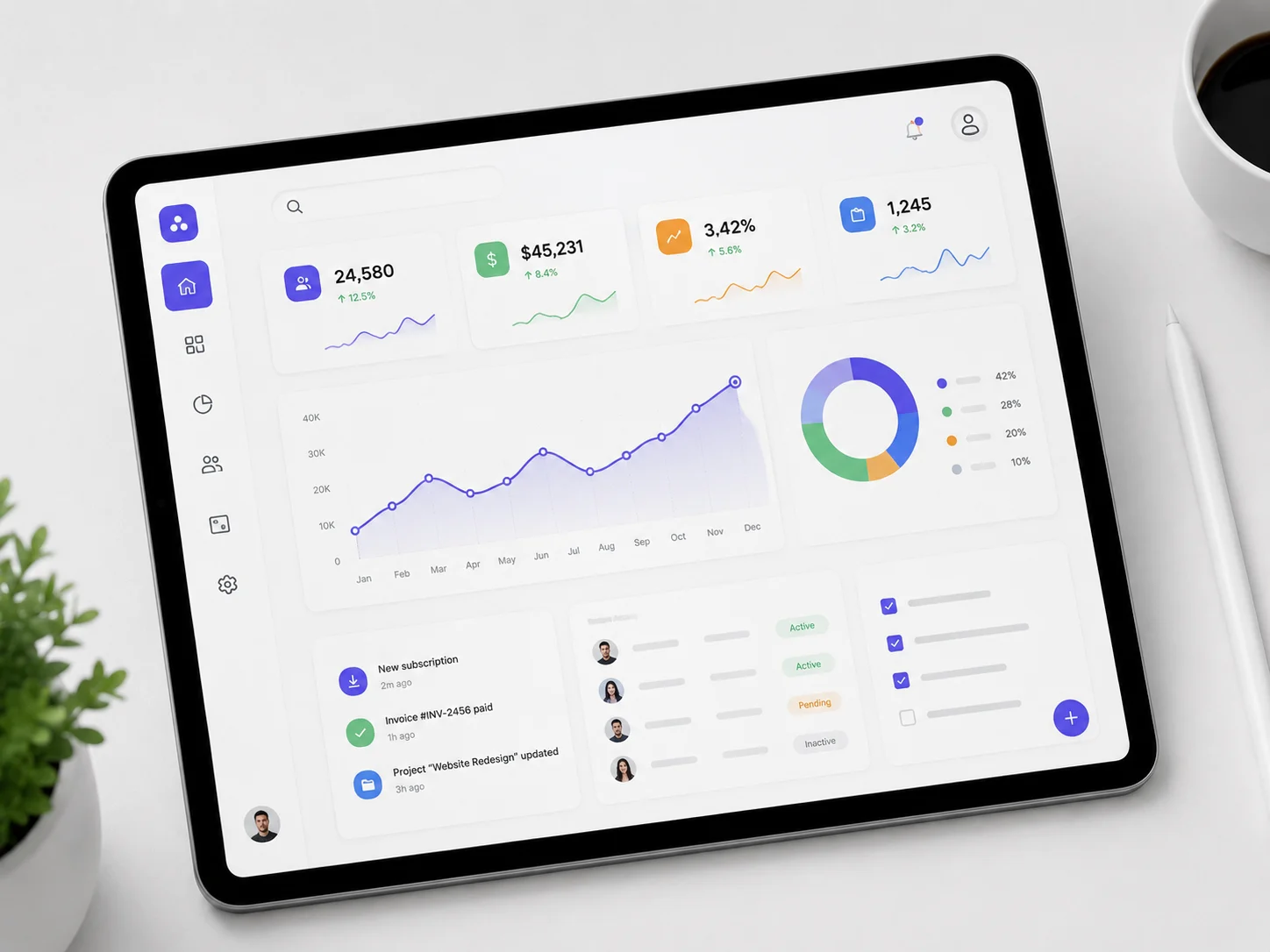
SaaS interface elements are visual components that allow users to navigate cloud-based software, understand controls and complete tasks efficiently. These elements organize the software's hierarchy and guide visual actions across interfaces in SaaS design. It supports consistent navigation, intuitive interactions, efficient task completion and clear usability.
What is custom SaaS design?
Custom SaaS design is a design approach that adapts a cloud-based application to specific business requirements instead of off-the-shelf software. This approach supports unique user journeys. Within SaaS design, prototyping, custom interfaces and optimized workflows align the product with organizational goals and business processes.
How do colors influence SaaS design?
Colors influence SaaS design because they direct visual focus, strengthen brand identity and encourage user actions. Effective color selection uses the 60-30-10 rule to balance neutral colors, brand colors and high-contrast accents for Calls-to-Action (CTAs).
How does typography influence SaaS design?
Typography influences SaaS design because it improves readability, establishes visual hierarchy and strengthens brand authority across a SaaS application. Clear typography supports user experience, reduces cognitive load and improves visual communication.
.svg)
.svg)
.svg)
.svg)