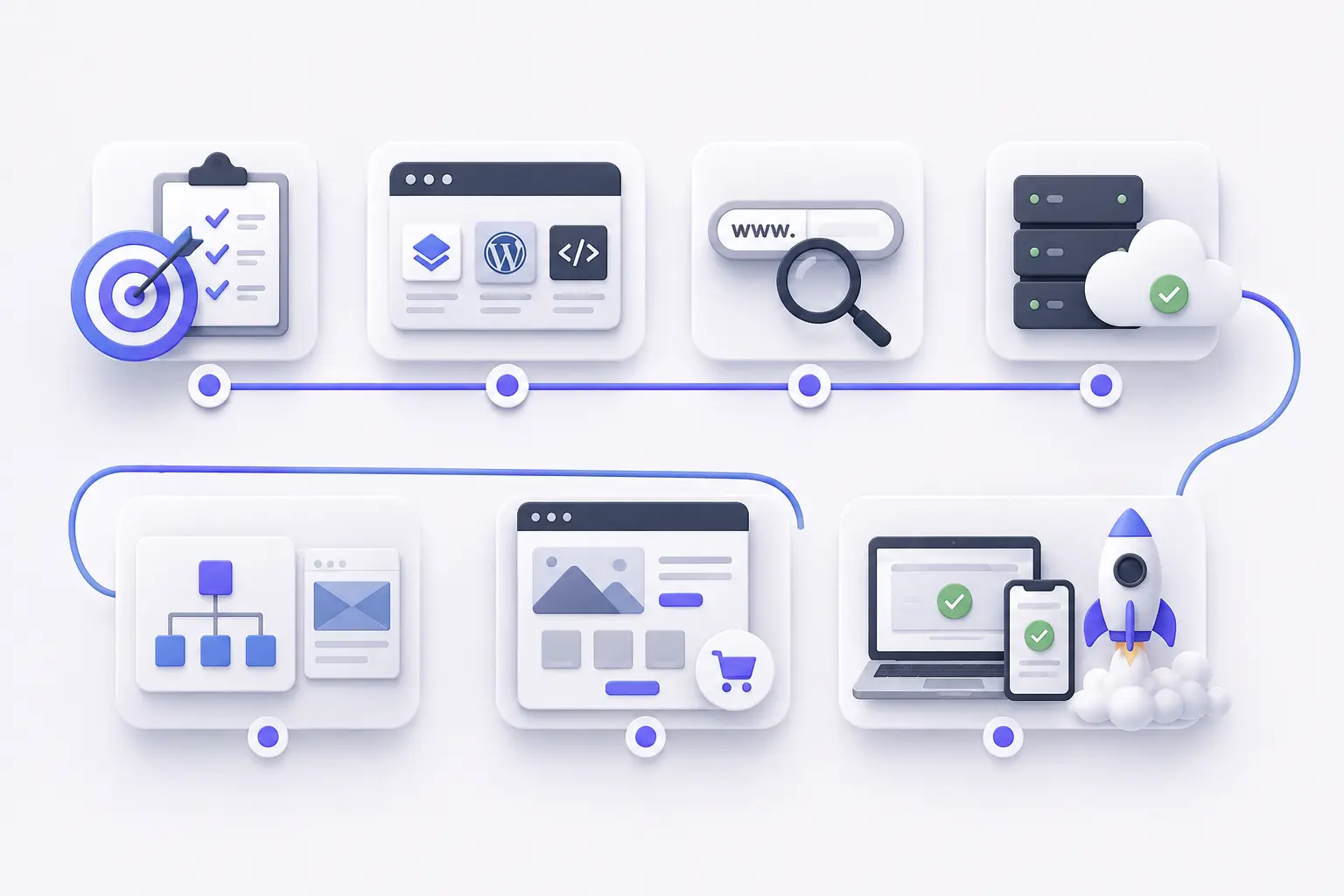
A website follows seven core steps from initial planning to launch and maintenance. First, define the website’s purpose, goals and target audience to determine the required pages and features. Second, choose a build approach: a website builder for speed, a CMS such as WordPress for flexibility or custom code for greater control.
Third, register a short, memorable domain name that matches the brand. Fourth, choose web hosting and connect the domain through DNS. Many hosting providers also offer one-click CMS installation.
Fifth, plan the site structure with a sitemap and design a clean, responsive layout with consistent typography, colors and components. Sixth, build core pages such as Home, About, Services or Products and Contact. Add clear calls to action, basic SEO, analytics and essential features such as forms or e-commerce.
Finally, test the website across multiple devices, fix errors, improve page speed and launch the site. After launch, maintain the website with updates, backups, content changes and SEO work.
This process helps beginners move from an initial idea to a live website while keeping decisions about the domain, hosting, platform, design, content and launch organized.
7 essential steps to create a website for beginners are listed below.
1. Plan your website
A website plan starts with its purpose, goals and target audience so every design and content decision has a clear direction. Write 1–3 measurable goals, such as “get 10 qualified leads per month,” and define primary users through simple personas that capture their needs, objections and context.
Next, clarify the value proposition and key messages for each core page. Specify the main headline, supporting points, proof such as testimonials or data and one clear call to action. Then create a sitemap with top-level pages such as Home, About, Services or Products, Blog and Contact, along with logical subpages. Map user journeys from entry points to conversion.
Plan content and SEO together by reviewing existing assets, identifying required content and assigning ownership. Set target keywords and search intent for each page, then outline headings, copy blocks and media.
Finally, define technical and UX requirements, including forms, payments, integrations, accessibility, performance goals and device priorities such as mobile-first design. These requirements keep the design and build phases focused and efficient.
2. Choose a domain name
A domain name needs a short, memorable, and brandable address that people can easily say, spell, and trust. Aim for roughly 6–14 characters before the extension, 1–3 words and 2–3 syllables. Avoid hyphens, numbers and unusual spellings so the name passes the “radio test.”
Prefer .com when possible for broad credibility. Consider alternatives such as .io, .ai, .shop or a country-specific TLD when the .com option does not suit the audience.
Before purchase, check for trademark conflicts through the USPTO or WIPO, verify social handle availability and review competing brands with similar names. Use domain search tools to check availability and price, then register the domain through an ICANN-accredited registrar. Enable WHOIS privacy, auto-renewal and domain locking to protect the registration.
If practical, register common variants such as plurals, common misspellings and relevant TLDs to provide additional brand protection.
3. Select the right website platform
Choose a website platform based on your goals, content scale, design control and maintenance capacity. For most beginners and small businesses, WordPress.org offers the best balance of ownership, flexibility, SEO tools and long-term cost. It requires separate hosting plus regular updates and plugin management.
Choose Wix for a fast, simple website with minimal setup. Choose Squarespace for design-focused portfolios and small business sites. Choose Webflow for greater visual control, custom interactions and marketing sites. Choose Shopify for dedicated e-commerce because it provides store management, payment tools, shipping features and a broad app ecosystem.
Use this rule of thumb: Wix suits simple brochure sites, Squarespace suits design-led portfolios, WordPress suits content-heavy and scalable websites, Webflow suits custom visual experiences and Shopify suits online stores.
Before you commit, compare the platform against your budget, content needs, editors, integrations and maintenance capacity. The best platform is the one that meets your current requirements without creating unnecessary management work.
4. Build your website structure
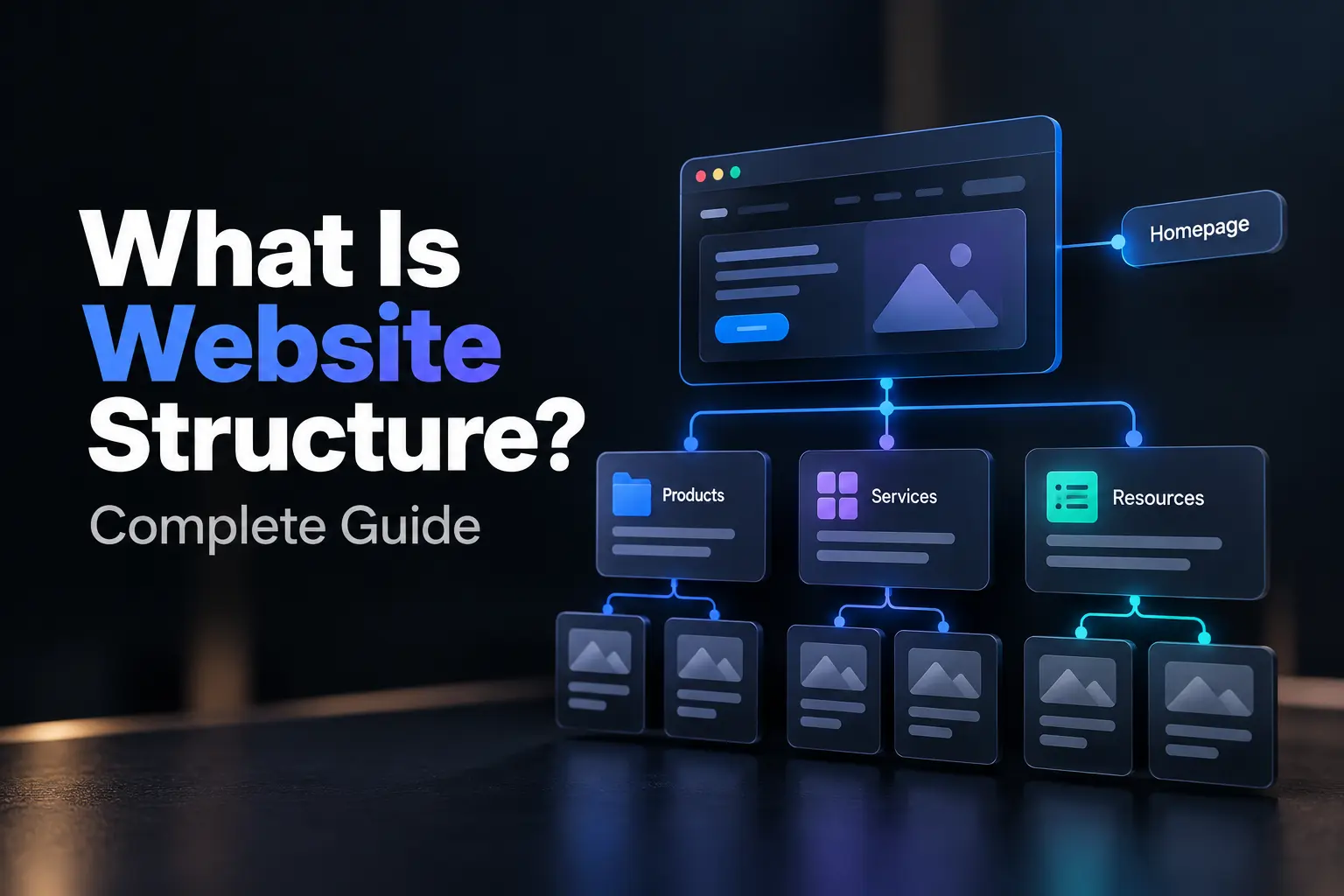
Build your website structure from the sitemap with a clear hierarchy and navigation system that supports user goals and SEO. Group pages into 5–7 top-level categories, such as Home, Services, Pricing, Resources, About and Contact. Keep navigation to 2–3 levels so users can reach important pages quickly.
Use descriptive labels instead of internal jargon. Order navigation items by importance and keep the primary menu consistent across pages. Add a clear indicator for the current page.
Create a visual sitemap and URL structure that follows the same hierarchy. Use descriptive URLs such as /services/web-design and /services/seo, then add breadcrumbs to deeper pages. For mobile users, use simple navigation with clear tap targets.
Place conversion pages such as Services, Pricing and Contact in the primary navigation. Add a prominent CTA and site search when the website contains substantial content.
Finally, validate the structure with quick usability tests and document naming and hierarchy rules. This approach keeps navigation clear and consistent as the website grows.
5. Design your website
Design your website with a cohesive visual system that guides attention, builds trust and makes actions clear. Start with low-fidelity wireframes for key page types such as Home, Service/Product, Blog Post and Contact. Use wireframes to establish layout, content hierarchy and CTA placement before you add color or imagery.
Define a lightweight design system with a limited color palette, clear color roles and a 2–3-level font scale. Use 16px body text, 1.4–1.6 line height and 50–75 characters per line for readable content. Apply a consistent 4/8px spacing grid across components.
Create clear visual hierarchy through size, contrast and position. Use H1, H2 and H3 headings in a logical order, group related elements and provide sufficient white space.
Use a mobile-first layout with clear tap targets, simple navigation and responsive breakpoints. Then adapt the layout for larger screens.
Finally, create a small component library with buttons, cards, forms, navigation and alerts. Document usage rules so every page follows the same visual standards.
6. Create SEO-friendly website content
Create SEO-friendly website content that serves real users first and helps search engines understand each page. Choose one primary keyword for each page based on search intent. Place it in the title tag, H1, first 100 words, body content and relevant image alt text without keyword stuffing. Write a unique meta description of about 140–160 characters with a clear value statement and soft CTA.
Use a clear content hierarchy with one H1, logical H2s and relevant H3s. Keep paragraphs short, use bullets for lists of three or more items and add a table of contents to long posts of 1,500+ words.
Strengthen E-E-A-T with expert insights, credible data, practical examples and links to trusted sources. Add 5–10 relevant internal links per 2,000 words with descriptive anchor text.
Optimize images with compression, descriptive filenames and useful alt text. Ensure mobile-friendly formatting and add relevant schema markup, such as Article, FAQ or Product.
Finally, compare the page with top search results for the target keyword. Improve depth and clarity where necessary, then monitor performance and refresh content as search intent or information changes.
7. Launch and test your website
Test your website before launch to verify functionality, performance, SEO, security and tracking. Keep the staging environment consistent with production, then run a pre-launch crawl to identify broken links, 404 errors and mixed content.
Confirm HTTPS across the site, select one preferred domain and set 301 redirects from other versions. Check robots.txt, validate the XML sitemap and submit it to Google Search Console and Bing.
Test critical flows on real devices. Submit forms, verify email confirmations, test CTAs and phone, WhatsApp and map links, and check navigation, menus and responsive layouts. Validate GA4, Tag Manager, conversion tracking and consent mode.
Audit technical SEO before launch. Check unique title tags and meta descriptions, one H1 per page, canonical tags, structured data and indexability. Run Lighthouse or Core Web Vitals tests and target LCP below 2.5 seconds, CLS below 0.1 and INP below 200 milliseconds.
After launch, monitor indexing, errors, speed and analytics. Keep backups and security updates current, then refine content and CTAs based on real user behavior.
What else do you need to create a successful website?
To create a successful website, you also need clear strategy, useful content, performance monitoring, security, maintenance, accessibility and ongoing optimization. These elements help the website support business goals and provide a reliable user experience.
The key requirements for a successful website are listed below.
Strategy and positioning: Strategy and positioning define the value proposition, target audience, conversion goals, user journeys, CTAs, trust signals and brand voice.
Content and distribution: Content and distribution provide useful guides, FAQs and case studies, while relevant internal links support content discovery and topic coverage.
Analytics and CRO: Analytics and CRO use GA4, Search Console, conversion tracking, KPIs and user behavior data to identify performance and conversion opportunities.
Performance and maintenance: Performance and maintenance protect site speed and reliability through efficient media, caching, CDN configuration, backups, updates and security controls.
Accessibility and compliance: Accessibility and compliance support inclusive access through suitable contrast, keyboard navigation, focus states, alt text and relevant privacy requirements.
How do you choose the right website builder?
Choose a website builder based on editing speed, mobile controls, SEO features, integrations and three-year cost. For website design, prioritize reliable publishing and conversion-ready templates.
What is the difference between a CMS and a website builder?
A website builder combines hosting, templates and editing tools for fast website design, while a CMS provides greater control over hosting, themes, plugins and site ownership.
How much does it cost to create a website?
Website costs range from about $0–$450 for website builders, $500–$15,000 for freelance projects, and $2,000–$50,000+ for agency or custom builds, plus maintenance.
Do you need coding skills to build a website?
No. Modern website builders and AI tools let beginners create professional websites with drag-and-drop editors, templates and visual settings without HTML, CSS or JavaScript.
Why is SEO important for a new website?
SEO helps search engines understand and discover your website, allowing it to capture existing search demand, reduce reliance on paid advertising and support sustainable growth.
How long does it take to create a website?
A website can take 30 minutes to 12+ weeks to create, depending on the build approach. A website builder can take 30 minutes to one day, a small freelance site 1–4 weeks, and a custom or agency website 4–12+ weeks.
.svg)
.svg)
.svg)
.svg)